

Ergonomic Wireless Mouse - Vertical Rechargeable for Laptop, PC, Mac, IOS


Ergonomic Wireless Mouse - Vertical Rechargeable for Laptop, PC, Mac, IOS
Lefon F35 Wireless Vertical Mouse 2.4G Rechargeable Ergonomic Optical Mouse 2400 DPI Gaming Mice for Computer Laptop PC Mac IOS
Specification :
Type: Wireless Vertical Mouse
Button number:6 buttons
Tracking System: optical
Frequency: 2405MHz-2476MHz
Effective distance: 10m
Working voltage/current: 3V/4mA
Battery: 800 mAh rechargeable battery,
Button life: 5 million times
Roller life: 1.2 million turn
Product dimensions: 110*72*75mm
Product weight: 130±5g
Resolution: 1000-1600-2400 DPI
Rate of return: 250Hz
System Requirements:
IBM or compatible computer
Windows:2000/ME/XP(x64)/Vista/7/8
Mac OS X(over V10.4)
An available USB port
Charging Instruction:
When charging, the scroll wheel lights up in green, and the green light is off when fully charged.
F35 Mouse Compatibility:
2.4G Wireless Ergonomic mouse.
Support for: Windows 2000, Windows XP, Windows 7, Windows Vista, Windows 98, Mac OS, Windows ME, Windows 8
USB Mouse:
Plug and Play mode, no need driver.
3 Gear DPI: 1000-1600-2400dpi
Design of Mouse:
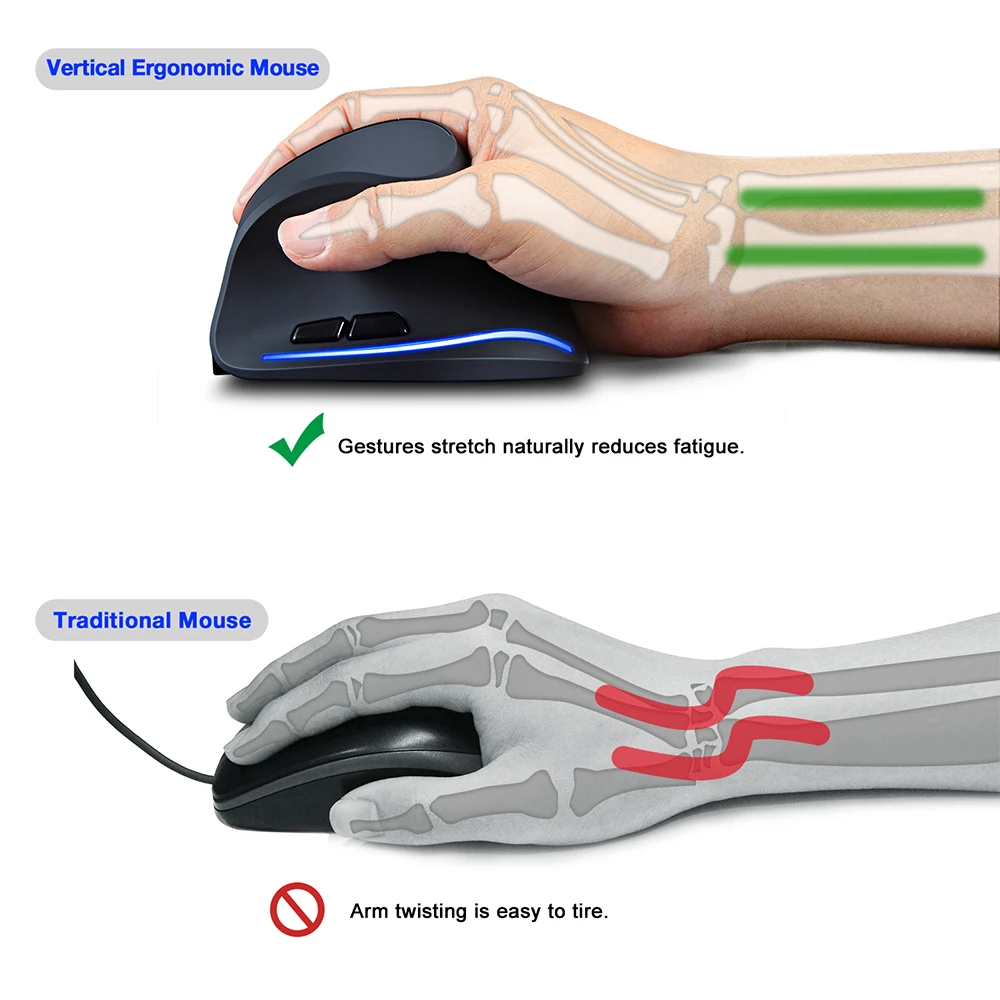
Ergonomic design, can be pressed against your hand, smooth touch can bring you a comfortable grip. Settings dpi speed adjustable.
800 mAh rechargeable battery, DPI up to 2400DPI, Environmentally friendly ABS material,can be used to test 10 meters down to the floor.
Distributed keys:
The force distribution is more uniform, the pressure transfer is more acceurate, the feel is more comfortable.
Rubber wrapping, skin texture. Comfortable oblique scale design, increase friction with the fingers, the stop rhythm is clear.
Button Function:
The mouse add side button, it is convenient to browse web
Wireless mouse with RGB:
The mouse with LED light ,it is very fancy. When you don't use the mouse, please you switch OFF. It can save power.
FAQ: What to do if the mouse has no response?
1.Please charge the mouse with USB cable.
2.Make sure the power switch on the bottom of the mouse is “on”.
3.Try to restart the computer.